
Digital business card for real estate: how to capture leads on every visit
During a property viewing, at a "for sale" sign, or at an open house event, interest lasts only seconds. A digital card with a capture form, multiple cards per zone, and automatic CRM delivery prevents that interest from being lost.
July 13, 2026
7 min read
2 views

AI Summary
During a property viewing, at a "for sale" sign, or at an open house event, interest lasts only seconds. A digital card with a capture form, multiple cards per zone, and automatic CRM delivery prevents that interest from being lost.
A real estate agent loses most of their leads not due to a lack of interested parties, but because the interested person leaves without providing any contact information. It happens during property viewings, in front of "for sale" signs on facades, in agency windows at ten at night, and at open house events with fifteen people entering in an hour. A digital card with QR or NFC, a capture form on the public page itself, and automatic delivery of that data to the CRM solves that specific problem: it turns momentary interest into a saved contact, even if the agent isn't present or changes their portfolio and phone number the following month.
Why paper fails in this sector specifically
A paper business card works reasonably well in a face-to-face exchange between two people who are already talking. It fails in almost every other scenario of daily real estate work: a sign doesn't talk, a window doesn't hand out cards outside business hours, and someone who enters a property for sale alone doesn't always find someone to ask for a card.
And when there is an exchange, the problem appears later: the interested person takes a card from an agent who in a few months may have changed their portfolio, office, or number. If that card is all that remains of the contact, most of those people never call. The data is lost with the paper, not with the interest.
The moments where interest is lost
These are the specific points in the sales or rental process where a digital card changes the outcome:
| Situation | What fails with the traditional method | What changes with the digital card |
|---|---|---|
| Property viewing | The interested person leaves without providing their phone number if the agent doesn't ask in that moment | They scan the QR at the entrance or hold their phone near the NFC and leave their details before leaving |
| "For sale" sign on the facade | Only a printed phone number remains; no one knows how many people stopped to look at it | The QR on the sign leads to the property listing with a contact form |
| Agency window outside business hours | The office is closed; the interested person doesn't come back the next day | The QR in the window works at any time, with no one inside |
| Open house event | A single agent can't keep up with writing down every visitor's contact information | Each visitor leaves their details on their own, without waiting in line |
| Real estate portal or online listing | The link leads to a generic agency profile, not the specific agent handling that property | The agent's or property's card link goes directly, without intermediaries |
The capture form on the public card
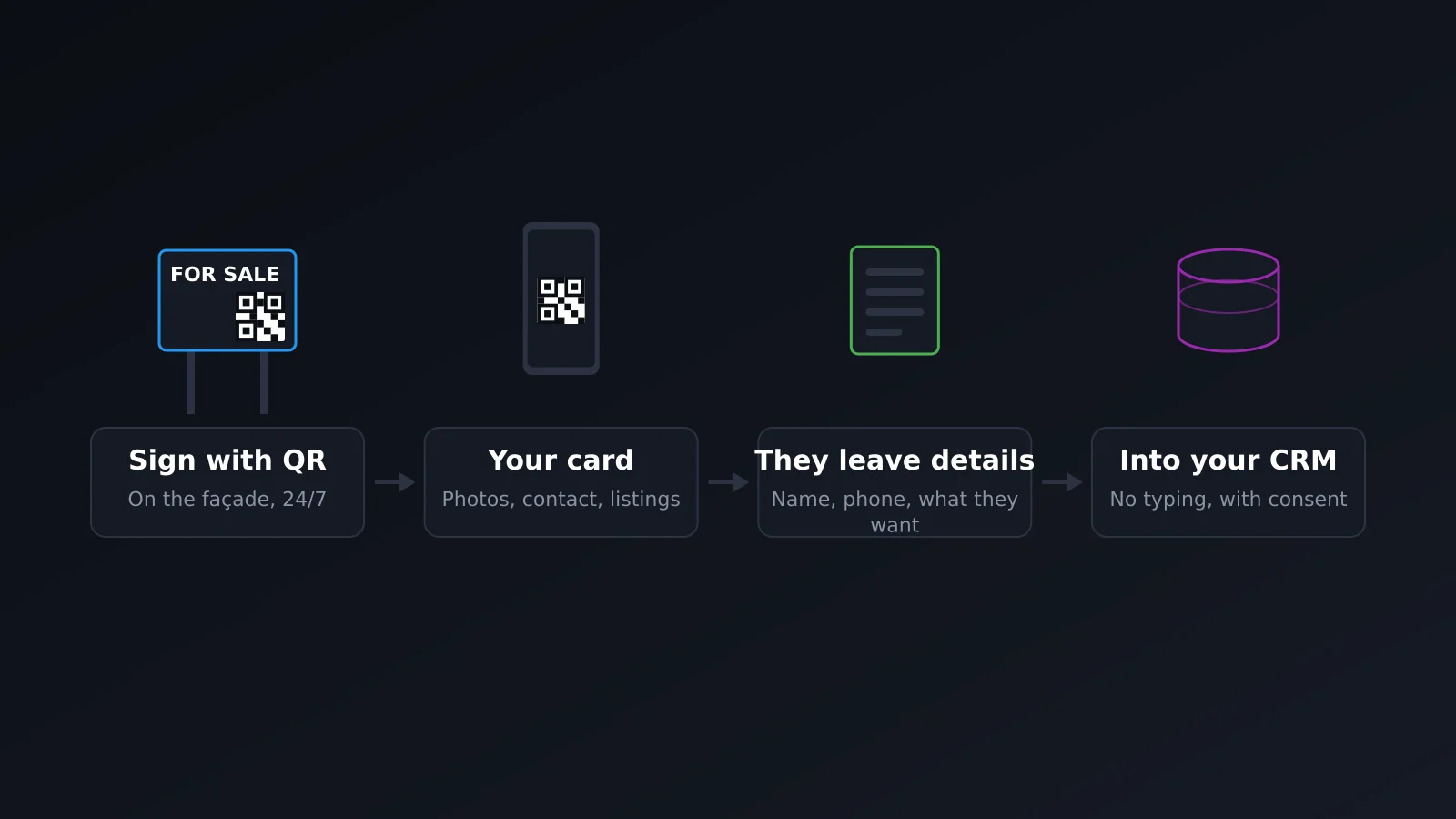
The piece that makes the difference isn't the QR itself, it's what's behind it. With lead capture activated on the card (available from the Pro plan), the public page includes a form where the visitor leaves their name, phone number, and, if the field is configured, what they're looking for: to buy, rent, or get a valuation on their own property. They don't need to install anything, and the agent doesn't need to be available at that moment — the data is recorded anyway.
This is exactly what fails with a paper card: it distributes a contact in one direction only. A form on the public card turns it into a two-way exchange, which is what actually generates a workable lead.
Multiple cards: one per zone or portfolio type
An agent working multiple zones, or an agency with different portfolio types (new construction, rentals, resales), doesn't always want to direct all interest to the same generic profile. Each card has its own URL, its own QR, and can have its own subdomain, so it's perfectly reasonable to have one card for the agent and a different one for each zone or segment they manage, each with its own message and photos.
Analytics: what property actually generates visits
Each card has its own separate analytics, so you can see how many scans a specific property's sign received, from what device they came from, and — what really matters — how many of those visits resulted in a submitted form. Without that data, an agent only knows how many calls they received, not how many people stopped in front of the sign and decided not to call. It's the difference between knowing a sign "works" and knowing how much.
Leads directly to the real estate CRM
A lead that stays within the card and has to be manually copied to the CRM is a lead that gets attended to late or not at all. In the Enterprise plan, each capture form submission can be automatically triggered via webhooks to the real estate CRM the agency already uses, without exporting anything manually or relying on someone checking their inbox. The data reaches the system where the sales team already works, the moment it's generated.
GDPR, straightforward
If you capture the name and phone number of an interested person in Spain, that's personal data and GDPR applies the same as in any other sector. The capture form needs an explicit consent checkbox — that the visitor checks, not a pre-checked one — before sending their data. The agency needs to know where that data is stored and have a real way to export it or delete it if someone asks. It's not an optional formality just because it's an interested party and not a signed customer.
Frequently asked questions
Does the visitor need to install an app to leave their details?
No. The QR or NFC opens the public card in the mobile browser, with no installation needed. The capture form is on that same page.
Can I have a different card for each property?
Yes, each card is independent with its own URL and its own QR. The usual approach is to combine a profile card for the agent with specific cards for properties or zones that generate the most interest.
What happens to the lead if the agent isn't checking their phone at that moment?
The data is saved in the card anyway, and if webhooks are configured, it also reaches the CRM without anyone having to be watching. The agent reviews it when they can, but the contact isn't lost because they didn't respond instantly.
Does the capture form work on the free plan?
Lead capture is available from the Pro plan. Automatic delivery to the CRM via webhooks is an Enterprise plan feature, designed for agencies with multiple agents and a CRM already in use.
Do I need to ask for consent even if it's just a contact form?
Yes. Name and phone number are personal data just like in any other form. Explicit consent on the form itself is not optional if you operate in Spain or anywhere else in the European Union.
In summary
In real estate, interest isn't lost due to a lack of buyers; it's lost between the moment someone stops in front of a sign and the moment someone on the agency's side finds out about it. A digital card with QR and NFC, a capture form, multiple cards per zone or portfolio, analytics per property, and automatic delivery to the CRM closes that gap without adding manual work for the agent. To first understand what exactly a digital card is and when to use QR or NFC, you can read what is a digital business card and QR or NFC: which to use in each situation. The rest of the features, including lead capture and webhooks, are on the features page.
Create your card for free and test the capture form on your next viewing or open house event.