Digital business card for freelancers: your portfolio in your pocket
For a freelancer, a digital business card isn't just a shared phone number: it's a gallery of work, a link to your portfolio, PDF rates, and call booking. How to solve the problem of wearing multiple hats, when to upgrade, and where to place it.
July 13, 2026
7 min read
0 views

AI Summary
For a freelancer, a digital business card isn't just a shared phone number: it's a gallery of work, a link to your portfolio, PDF rates, and call booking. How to solve the problem of wearing multiple hats, when to upgrade, and where to place it.
A digital business card for freelancers isn't a stripped-down version of a corporate card: it's a pocket-sized showcase that needs to display your work, not just leave a phone number. Without a company behind your name to back you up, the card does different work — show your project gallery, link to your full portfolio, let people book a call without six rounds of email — and it has to survive you offering two or three different services under the same name.
This guide reviews what that card should have, how to solve the multiple hats problem without ending up with a generic profile, what it actually costs, and where to place it so it works without you having to think about it.
The card as a pocket portfolio
The gallery speaks before you do
A freelancer doesn't sell a company; they sell their work. Before someone scanning your card reads a single line about you, they want to see that work: photos if you're a photographer, screenshots if you design interfaces, book covers if you write, dishes if you cater events. An image gallery within the card itself does that work in the first three seconds, without forcing anyone to open a new tab or search Google to find your Instagram.
The portfolio link, rates PDF, and frictionless call booking
The gallery shows a sample; the link to your full portfolio — Behance, your own site, whatever you already use — takes people who want to see more. A downloadable PDF with rates or case studies answers the question every new client has in their head but almost nobody asks in the first conversation. And a button to book a call replaces the round of "when works for you?" emails with a calendar they fill in themselves, without you checking your agenda six times. You can see these widgets in detail on the features page.
The multiple hats problem
One card per service, not a generic profile
It's common for a freelancer to do two or three things that don't always go together: design and photography, development and training, translation and copyediting. Putting it all in one profile forces you to write a description that doesn't fully convince anyone, because it tries to speak to different audiences at once. The alternative is to have one card per service, each with its own URL: one you show when talking about design, another when talking about photography. Each with its own gallery, text, and call to action, instead of a mix that doesn't clearly say anything to anyone.
Your own brand: the URL matters
Whoever sells their name also sells the address where that name lives. Sharing your work from a generic URL like service.com/u/48213 dilutes what you're trying to build. Using your own subdomain or domain makes the card feel like yours, not borrowed, and the address you share in an email signature or on a printed QR carries your name, not the name of the tool you use underneath.
What it costs and when to upgrade
Here it's worth being concrete instead of overselling. The free plan allows unlimited cards with unlimited scans, so it genuinely works to get started: you can have your card live, share it, and check whether the format fits you before spending anything. The jump to the Pro plan ($2.99/month) makes sense when you need something the free plan doesn't cover: capturing visitor data, serious analytics on how many card visits turn into real contact, or using your own subdomain and widgets like rates PDFs or call booking. It's not a toll for existing online; it's a decision you make when the card starts bringing you real work. All plans are on the pricing page.
Where to put it so it works on its own
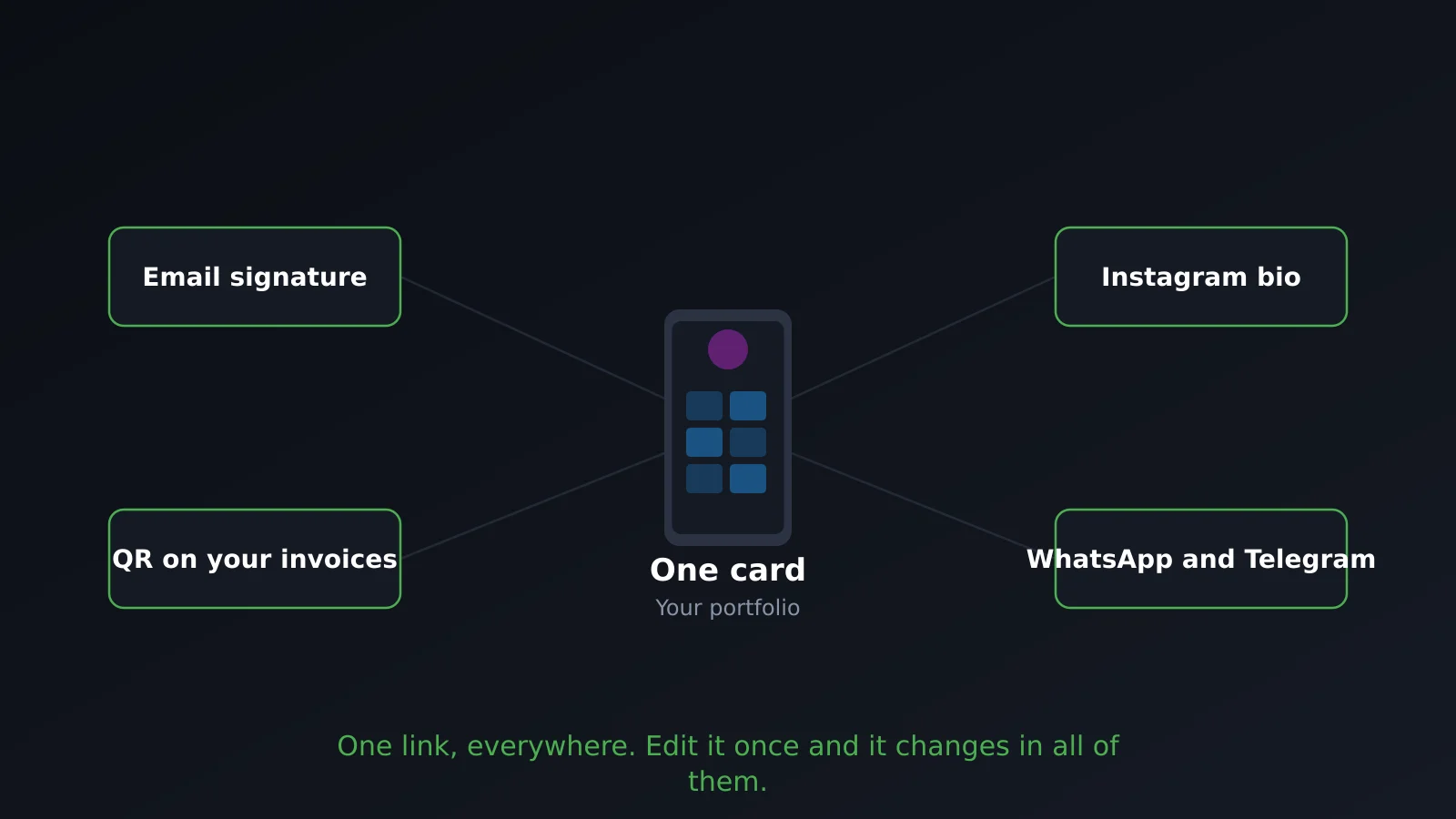
A digital business card is useless sitting in a drawer. The places where it actually works:
- Email signature. It's the place a potential client will see it most often, without you having to remember to send it.
- LinkedIn profile. In the contact section or in your headline itself, it replaces a loose link to your website.
- Instagram bio. If your work is visual, it's where you'll get the most qualified traffic.
- PDF proposal. Adding the link or QR at the end of the proposal makes it easy for someone reading it to save your contact without digging through their email three weeks later.
- Printed QR code, small, if you go to trade shows or events. On a paper business card, a roll-up, or your laptop itself.
Quick checklist for freelancers
| You need | Why |
|---|---|
| Image gallery | Shows your work before you have to explain it with words |
| Link to external portfolio | Takes people who want to see more than what fits on the card |
| Rates or case studies PDF | Answers the price question without anyone having to ask |
| Call booking | Eliminates back-and-forth emails to schedule a date |
| Multiple cards | One per service if you do more than one |
| Your own subdomain or domain | The URL carries your name, not the tool's |
Frequently asked questions
Is the free plan enough for me?
To start, yes. The free plan doesn't limit scans, so you can share your card without fear it'll stop working the month you need it most. What it doesn't include is visitor data capture, advanced analytics, or your own subdomain — that's what the Pro plan offers.
Do I need my own domain?
Not to start. But if your name is your brand, your own subdomain makes the address you share feel like yours instead of borrowed, and it keeps you from having to reprint your QR code the day you switch tools.
What if I do two different things?
Create one card per service instead of forcing a single profile. Each with its own URL, gallery, and text, so you don't dilute your message by trying to speak to two audiences at once with the same card.
Does it replace my website or portfolio?
No, and it's worth saying clearly: if you live off visual work, a digital business card doesn't replace a serious portfolio. It's the entry point — what you show in the first few seconds and what links to where your real work lives — not the final destination. If you're still not clear on what a digital business card is and what it's for, you can read what is a digital business card.
How many cards can I have?
It depends on your plan. If you're going to use more than one — common among freelancers offering multiple services — check your plan limit before building your strategy around a single card.
In summary
A digital business card for freelancers wins when it shows work, not just contact details: gallery, portfolio, rates PDF, and call booking all in one place. If you do more than one thing, use one card per service. Start with the free plan and move to Pro when you need to capture leads or have your own URL. And remember the card opens the door; your real portfolio stays yours, somewhere else. If you want to compare more general criteria before deciding, here's how to choose a digital business card.
Create your card free and start showing your work, not just your phone number.