
Digital business card for recruiters and HR: job fairs, sourcing, and GDPR
How to use a digital business card at job fairs, technical sourcing, and candidate recruitment: one card per opening, capture forms, and what GDPR requires when collecting candidate data.
July 13, 2026
8 min read
0 views

AI Summary
How to use a digital business card at job fairs, technical sourcing, and candidate recruitment: one card per opening, capture forms, and what GDPR requires when collecting candidate data.
A digital business card serves an HR team for two things at once: capture a candidate's data on the spot—at a job fair, technical meetup, or quick interview—without relying on paper résumés that need to be typed up later, and tell that candidate, via a link or QR code, which company and which specific job opening you're talking about. The exchange doesn't go in one direction like a normal commercial business card: the recruiter wants contact data, and the candidate wants to know what they're getting into before they hand it over.
This changes what you put on the card and how you use it in the field. Below, real-world scenarios from the industry.
The exchange goes both ways
A normal business card solves one problem: the other person keeps your contact information. In recruitment, the problem is twofold. The recruiter needs the candidate to leave their data—name, phone, CV, LinkedIn profile—without copying it by hand from a piece of paper. The candidate needs more than a business card: to know what the job opening is, what the company does, and who they're talking to, before deciding whether it's worth leaving their data.
A card with lead capture enabled solves the first part: a form on the card's public page where the candidate leaves their data while talking to you. The second part is solved by the card's content—it's not your generic recruiter card, it's the card for that specific opening.
Job fairs and university forums
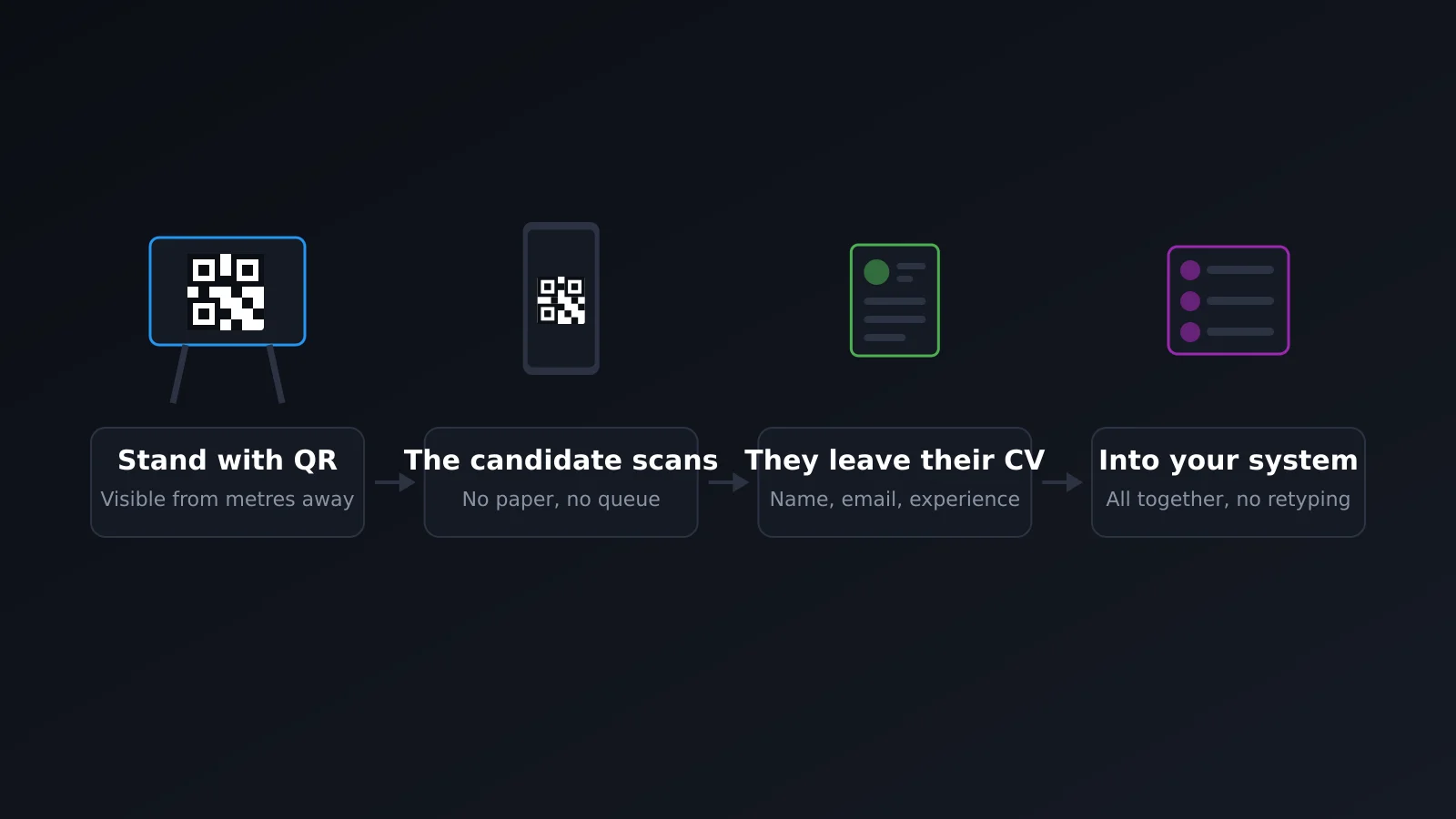
The most demanding scenario. There's a queue, you have two or three minutes per person, and at the end of the day you take home a pile of printed résumés that someone has to digitize. Almost none of that data gets looked at again before a week has passed.
A QR code on the booth panel, or a physical card with NFC on the table, changes the order of things: while you talk to the candidate, they scan and leave their data in the form—without you having to write anything down or them having to search for a pen. When the fair ends, all contacts are already in one place, not in a stack of papers.
The same applies to a university forum: high volume, short time per person, and the difference between a candidate who gets lost and one who gets registered is whether leaving their data costs a mobile form or a notepad.
Sourcing at technical events and meetups
Here the volume is lower but the goal is sharper: you approach a specific person because their profile fits a hard-to-fill opening. There's no queue or rush, but a different problem—what you leave with them has to survive the pocket. A paper card with your name and "Talent Acquisition" says nothing about the job opening or why you approached them.
A link or QR code to a card with the specific opening, the team they'd work with, and a short video of that team says more in ten seconds than a two-minute conversation in a hallway full of people. And if that person looks it up that same night on their phone, they'll find it exactly as they saw it.
One card per opening or vertical, not a generic company card
The card you show when sourcing engineering profiles shouldn't be the same one you show when sourcing sales profiles. The tone changes, what you show first changes, and even where you show it changes—a technical conference isn't a general job fair. Each opening or vertical with its own card, its own URL, and if your plan allows it, its own subdomain, avoids the corporate card that fits no context because it tries to serve everything at once.
This also works internally: you can measure, card by card, how many scans and leads each opening or fair generated—not just an aggregate number that tells you nothing about what worked.
What widgets to use in a recruitment card
Contact fields are the minimum. What makes the difference is what you add behind them:
| Widget | What it does here |
|---|---|
| Link to open positions | Goes straight to the listing of the specific opening or all open ones, without going through the entire corporate website |
| Downloadable PDF | The value proposition for the employee: what the company offers, culture, benefits—what used to be in a printed trifold |
| Video | The actual team the candidate would work with, not a generic corporate video of the company |
| Booking link | To schedule a first twenty-minute call without exchanging ten emails |
None of these widgets replace the face-to-face conversation at the fair or meetup. They replace the paper résumés that no one ever opens again.
The other side: the candidate's digital business card
This isn't just a tool for those hiring. Someone looking for work benefits from the same mechanism, in the opposite direction: a card with their profile, a link to their portfolio or GitHub, and a PDF with their CV, to leave at a fair instead of a piece of paper that ends up in a pile with a hundred others.
The advantage is the same as for the recruiter: a QR code scans in seconds, there's no need to find space in a bag for a piece of paper, and what it displays—links to projects, a short intro video—doesn't fit on cardstock. If your company organizes or participates in a job forum, it's worth telling candidates: they can bring their own card too.
GDPR: what's required to collect candidate data with a form
If you're going to capture candidate data with a form on the card, that's personal data with a specific purpose—recruitment—and GDPR applies just like with any other capture form. It's not something to deal with later.
At minimum you need: explicit consent on the form itself, with a checkbox that the candidate marks (never pre-checked); a stated purpose—make it clear that the data is to evaluate their candidacy, not for any other use; and a retention period defined, because you can't keep their CV and data indefinitely "just in case something comes up".
Also check that you can delete a candidate's data if they request it, and that you know where it's stored. The volume of people at a fair doesn't make this optional—the opposite: the more people, the more responsibility.
Frequently asked questions
Do I need a different card for each job opening?
Not always, but it helps when the opening is hard to fill or the profile you're seeking is very different from another one you're also filling at the same time. With one or two open positions, one card per vertical (engineering, sales, etc.) usually does the job.
Does the candidate have to install anything to leave their data?
No. They scan the QR or tap the NFC, the public page opens in their phone's browser, and the form is there. No app to install or account to create—if there were, half the job fair queue wouldn't make it to filling it out.
Can I use the same card for multiple job fairs in a row?
Yes, and that's where you see the savings: you print the QR once and reuse it at each fair, changing the content behind it without touching the paper. We covered this in digital business card for job fairs and events.
What if the candidate doesn't want to leave their data right there?
Nothing forces them. The form is faster than you dictating your number, not the only way—they might prefer to reach out to you on LinkedIn later with the link you gave them. The goal is to reduce friction, not replace the conversation.
Does this work for a single recruiter or do you need a team?
It works for one. The difference with a team is that in Enterprise you can centralize job openings and corporate profiles so each recruiter has their own card with the same content base, instead of building it from scratch each time.
In summary
In recruitment, the digital business card doesn't replace the conversation at the fair or meetup—it replaces the paper that comes after: the résumé that needs to be digitized, the trifold that doesn't say what the job opening is, the business card that doesn't even have a link to the team. One card per opening, with a capture form and explicit consent, covers both directions of the exchange: you get the candidate's data, and they get clarity about what you're offering them.
For more on what exactly this category of tool is, see what is a digital business card. And to see it all together, the features page.
Create your recruiter card free and test it at your next fair or meetup.