QR or NFC: Which to Use in Each Situation
QR and NFC solve the same problem—sharing a contact without typing anything—but at different distances. How each works, when QR wins, when NFC wins, and why the best business cards use both at the same time.
July 13, 2026
6 min read
4 views

AI Summary
QR and NFC solve the same problem—sharing a contact without typing anything—but at different distances. How each works, when QR wins, when NFC wins, and why the best business cards use both at the same time.
Use QR when the other person isn't in front of you—a screen, a poster, a trade show booth, a stage—and use NFC when you're face to face and want them to just tap their phone, without opening the camera or framing anything. Both do the same thing internally: they take the other person to the same public URL of your card. What changes is how they get there, and that difference decides which works best in each situation.
How QR Works
A QR code is an image that encodes text—usually a URL—in a pattern of black and white squares. The phone's camera reads it, decodes the URL, and opens the browser to that address. There's no chip, no battery, nothing active: it's just an image like any other, so it can be printed on a card, a poster, a t-shirt, or displayed on a screen at zero cost.
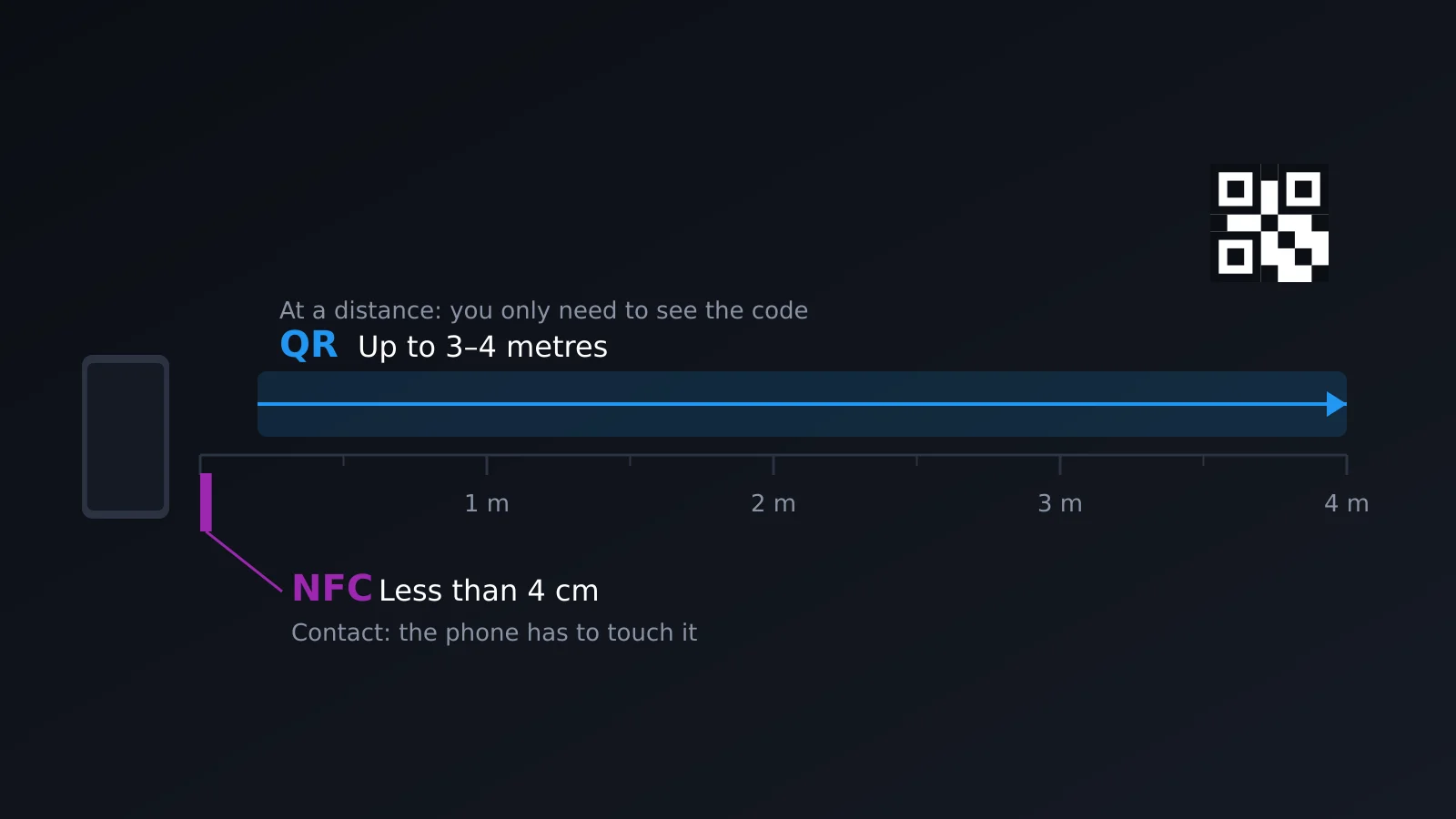
Its limit is physical: it needs the camera to see the entire code with enough light and clear contrast between the background and the pattern. From several meters away—a screen on a stage, a poster on a booth wall—it keeps working as long as the size is proportional to the distance. Up close on a small card, it requires whoever is scanning to open the camera, frame it, and wait for focus: three steps that in a quick exchange on your feet sometimes feel like friction.
How NFC Works
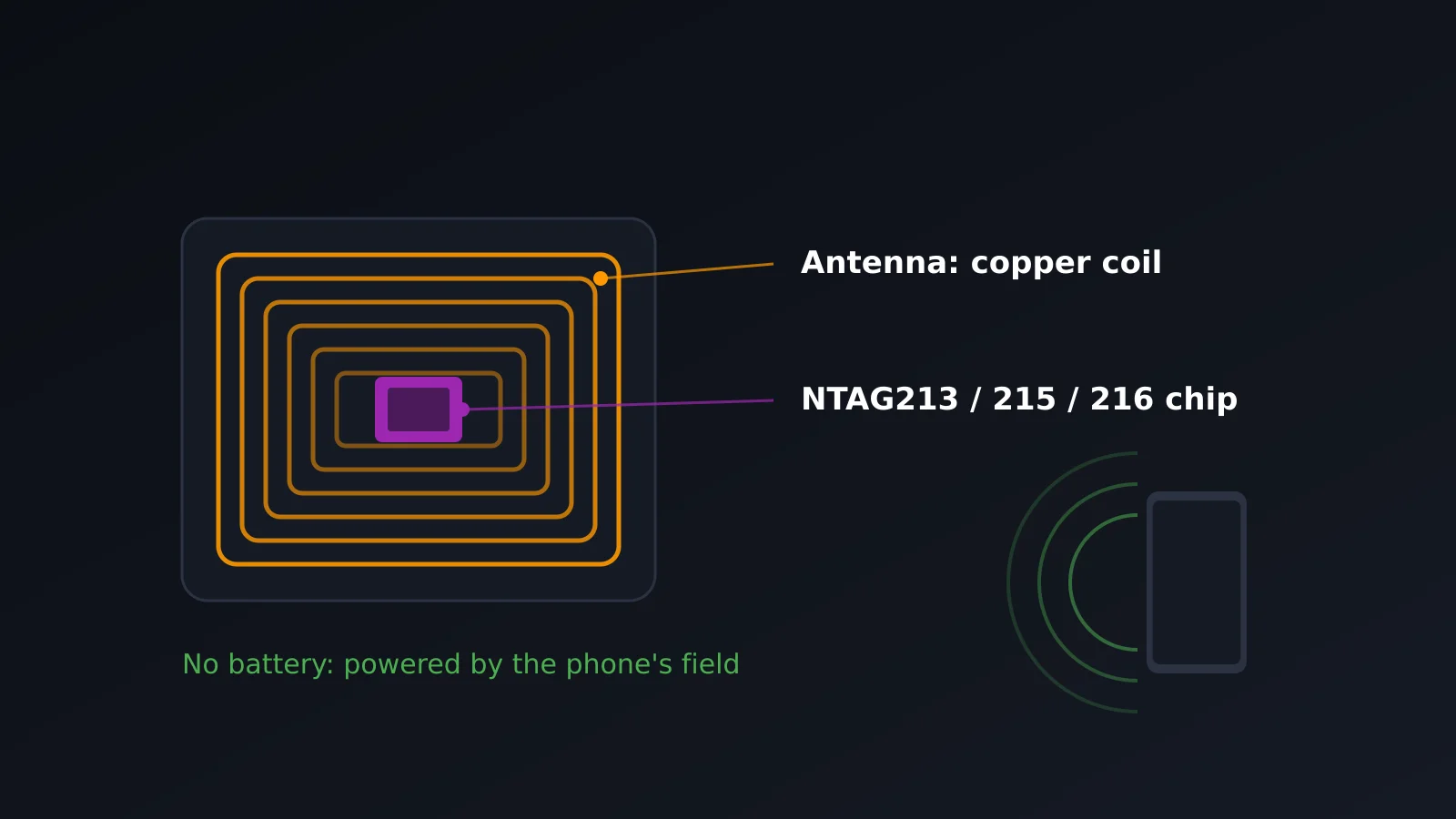
NFC (Near Field Communication) is a passive chip with no battery that activates with the electromagnetic field emitted by the phone as it approaches. It works on the 13.56 MHz band and its real range is a few centimeters—under 4 cm in practice—so it only activates when the phone is practically touching the tag. The most common tags on cards and stickers are NTAG213, NTAG215, and NTAG216 chips, which differ mainly in memory capacity.
Which Phones Read It and How
iPhone reads NFC tags in the background from iPhone XS onwards (iOS 12 and later), without opening any app: just bring it close and a notification with the link appears. Android has included NFC for years, but on some models you need to check that it's enabled in quick settings, and background reading isn't always as immediate as on iOS. In both cases, if the phone is off or NFC is disabled, the tag does nothing: the chip has no power of its own and depends entirely on the phone bringing it close having NFC active.
When Each One Wins
The question isn't which is better in general, but which fits the distance and context of the moment.
| QR | NFC | |
|---|---|---|
| Wins when... | The other person is far away or looking at a screen | You're face to face and there's a physical card between you |
| Examples | Trade show poster, presentation slide, email signature, storefront | Handing over a business card in person, reception desk, networking event |
| What the other person does | Opens the camera and frames it | Brings their phone close, without opening anything |
| Cost to implement | Zero: it's an image that's generated and printed | The price of the NFC tag or card with chip |
| Fails if... | There's poor light, the code is small or damaged | The phone doesn't have NFC enabled, or there's metal between the chip and the phone |
Why in Practice Both Are Used, Not Just One
In a face-to-face card exchange, NFC clearly wins: tapping the phone is faster than taking out the camera and framing, and works just as well in poor light. But as soon as the other person doesn't have your card within four centimeters—they're across a trade show table, looking at a screen on a stage, reading your email signature—NFC stops working completely because its range is literally contact-based. There, QR is the only option that works.
That's why a well-designed physical card has both: an integrated NFC chip for direct exchange and the same QR code printed next to it, pointing to the same URL, for any situation where physical contact isn't possible. It's not redundancy, it's coverage: each one covers the gap the other leaves.
Common Mistakes
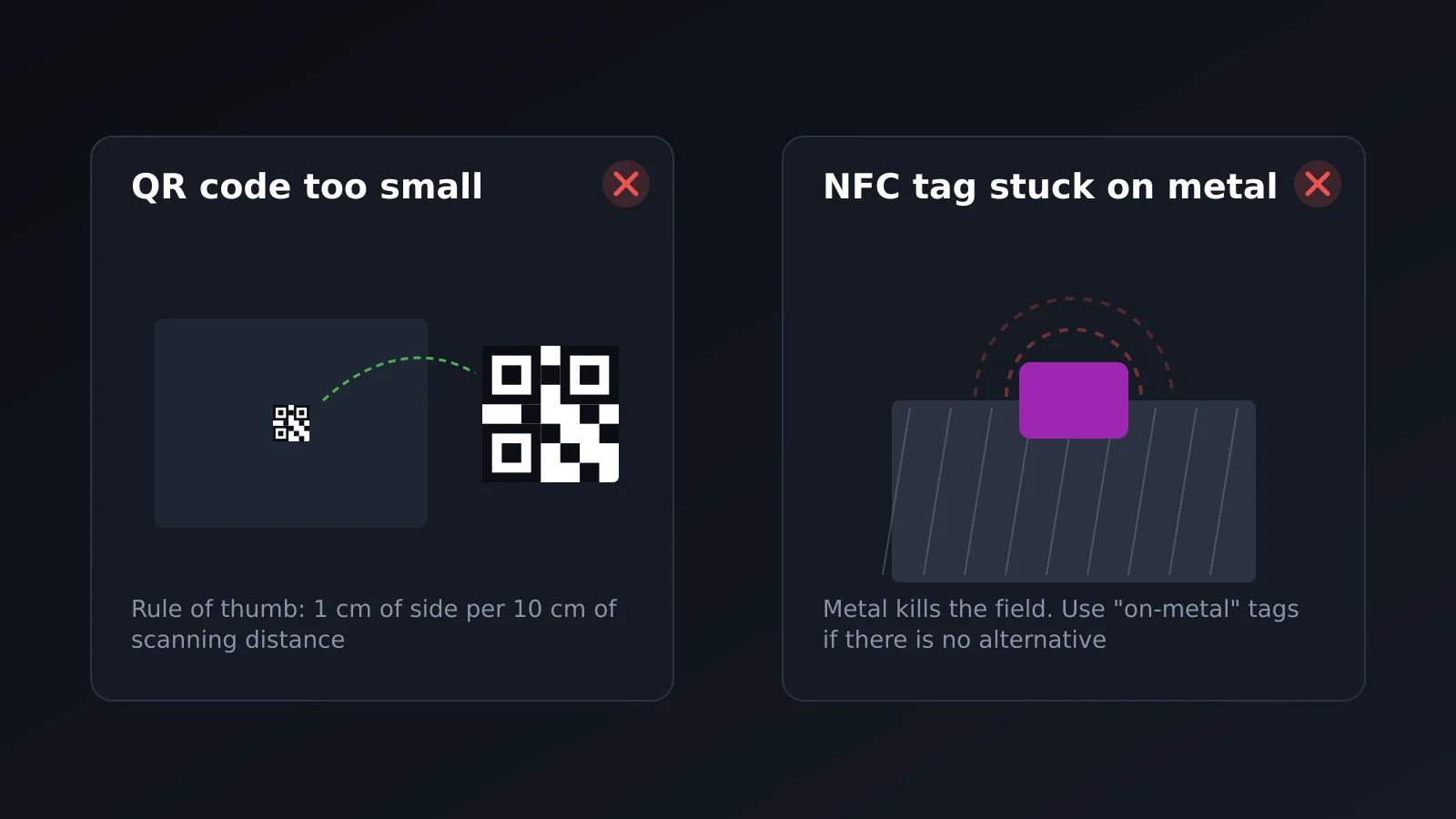
- QR code too small or with poor contrast. A code smaller than 2 cm on a card, or printed in light gray on white, fails to focus more than seems reasonable. The farther away it will be scanned from, the larger and more contrasted it needs to be.
- NFC tag stuck directly on metal. Metal absorbs and distorts the electromagnetic field that activates the chip, so a tag stuck without precaution on a metal card or aluminum case may never read. You need a ferrite layer or an air gap between the chip and the metal.
- Expecting a phone that's off or locked to read NFC. The tag chip doesn't need a battery, but the phone reading it does have to be on and, on many Android devices, with the screen unlocked and NFC active in settings.
- Relying on only one of the two. A card with only QR forces you to pull out the camera even when just tapping the phone would do; one with only NFC leaves out anyone who sees it on a screen or poster.
Frequently Asked Questions
Do I need an app to read a QR code or NFC tag?
No. Any modern phone camera recognizes a QR code without an additional app, and both iPhone and Android read NFC tags with the operating system built in.
What's the exact range of NFC?
In practice, less than 4 cm. It's a contact technology, not a proximity one: if you have to wonder if it's close enough, it isn't.
Why doesn't my Android read the NFC tag?
Most commonly, NFC is disabled in quick settings, but it could also be because the chip is stuck on metal without shielding or because the phone doesn't have NFC (some very budget models don't include it).
Can I use QR and NFC with the same digital card?
Yes, and it's standard: both point to the same public URL, so you don't need to manage two cards or two different links, just two ways to reach the same place.
Does the QR code stop working if I change my information?
No. The QR encodes the URL, not the data. If you edit your profile, the same code printed months ago still takes you to the updated information.
In Summary
QR and NFC don't compete with each other: they cover different distances of the same exchange. QR works from meters away and doesn't depend on any chip, so it's the default choice on screens, posters, and printed materials. NFC eliminates the step of opening the camera when the other person is right in front of you, in exchange for a range of just a few centimeters. The card that works best in practice doesn't choose between one or the other: it has both, pointing to the same place. If you want to see how this fits into a complete card, you can first read what a digital business card is or review the widgets and features available.
Create your card for free and try QR and NFC on the same URL.